Account and service
See the current package, remaining usage, expiry date and service information.
Built for internet service providers
Customers can check packages, usage, payment history and service status, and manage supported Wi-Fi controls in your branded app. MahaarNet connects it to your existing systems and keeps developing and maintaining it.
Current integrations
A familiar day at your ISP
Customers need clear answers about their service. Today, many ask your staff for information they could check themselves.
How much of my package is left?
Why does my connection feel slow?
How many devices are on my Wi-Fi?
When does my package expire?
Many of these questions do not require a support agent. Put the answers in your ISP's own app.
The customer experience
Your team remains available for cases that need attention. Customers can handle common checks in the app under your ISP's name.
See the current package, remaining usage, expiry date and service information.
Check connection status, usage and speed from the same app.
See connected devices and manage supported home Wi-Fi controls, including changing the Wi-Fi name (SSID) and password, through MikroTik and compatible TP-Link and Tenda routers.
Review payment history and account details, and read your ISP's announcements.
See the product
These are screens from the working app: package details, service information, Wi-Fi controls and account views. Online package purchase and renewal are planned, not available today.
Swipe to explore more screens
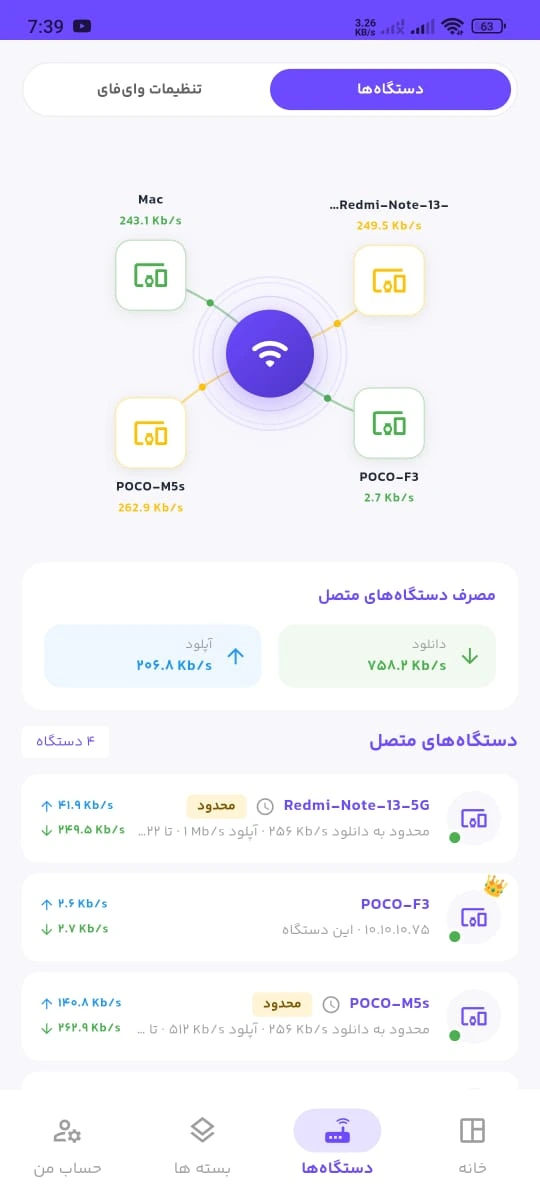
Customers sign in with their service ID and can see the available paths for retrieving that ID on the same branded screen.
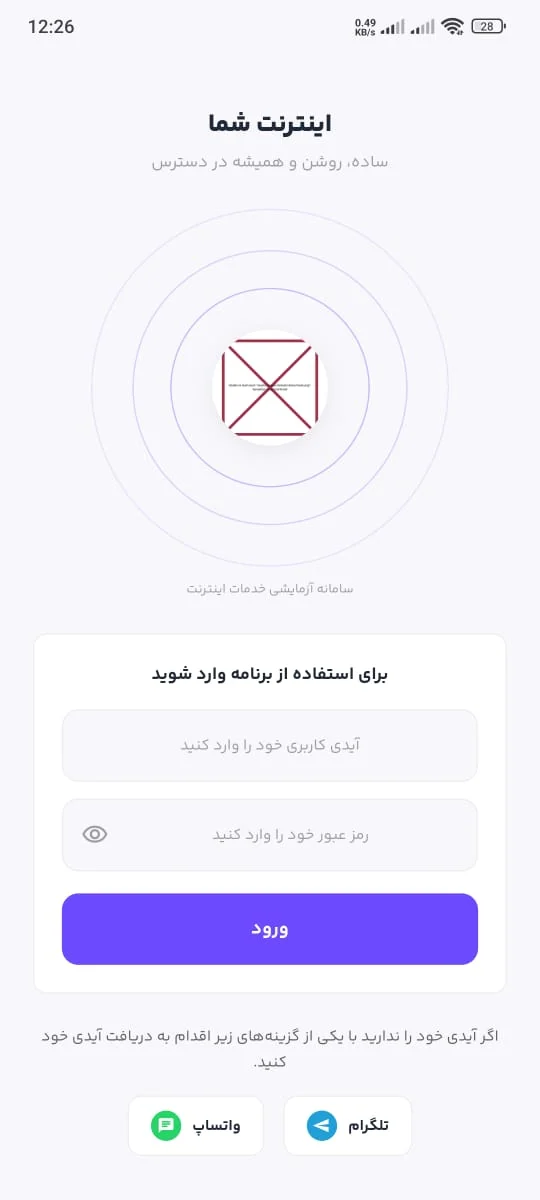
Active package, usage, remaining time, and service status at a glance.
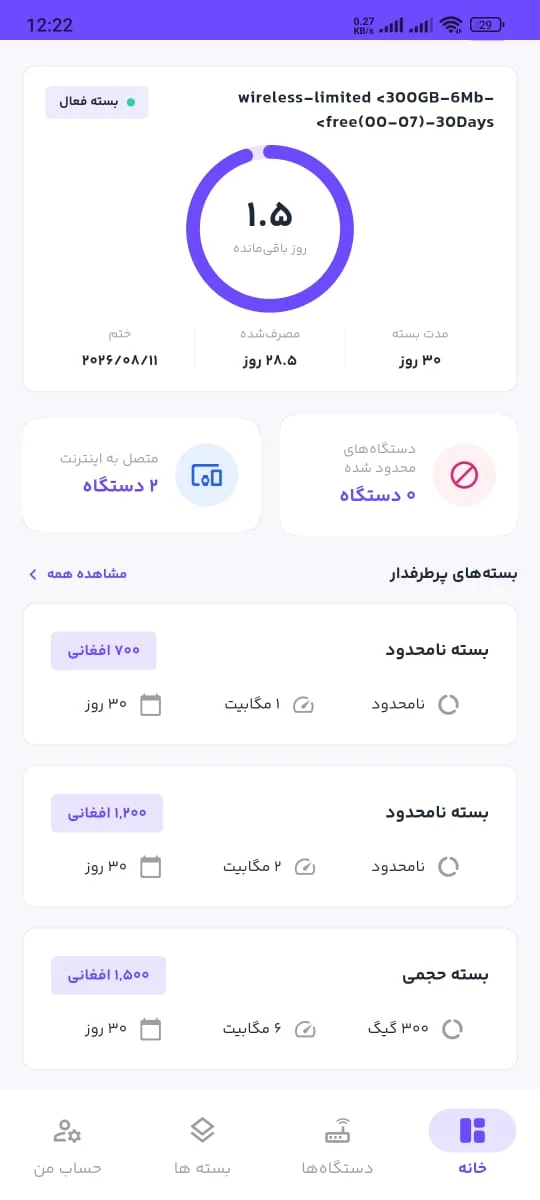
Customers can review available packages, data allowances, durations, and prices in one clear view. This screen displays package information; online purchase and renewal are not current capabilities.
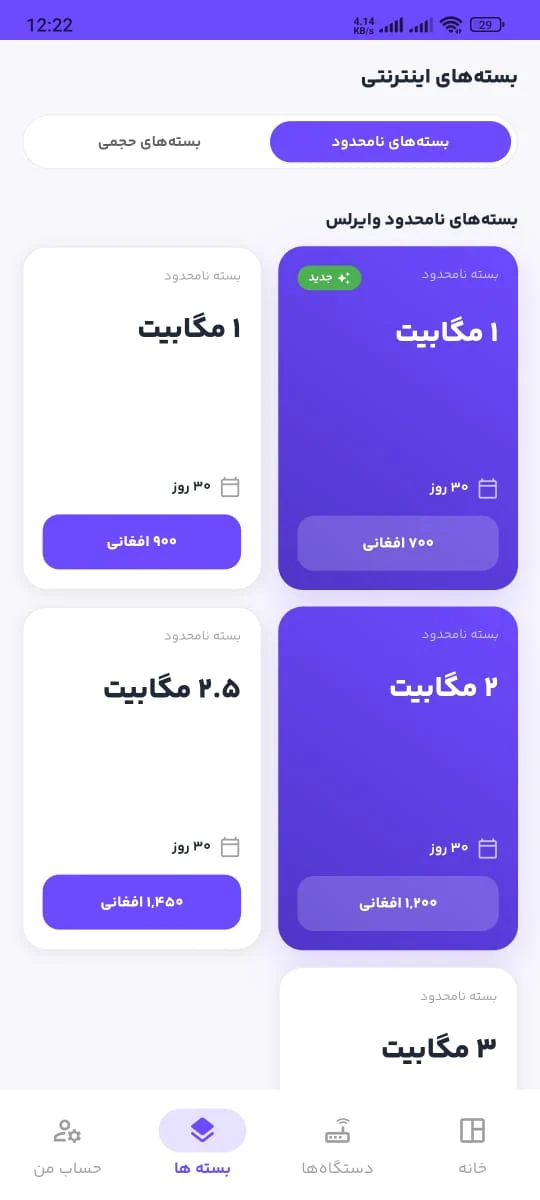
Customers can see connected devices and manage the home-network controls they need.
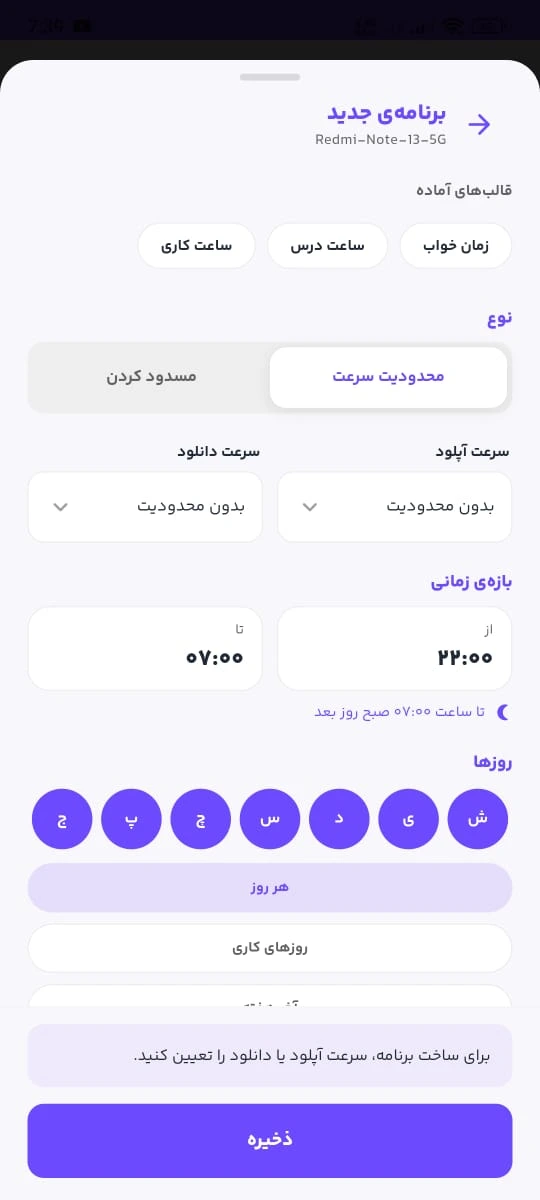
Create per-device time-based plans with ready-made presets, upload and download limits, time ranges, and recurring days.
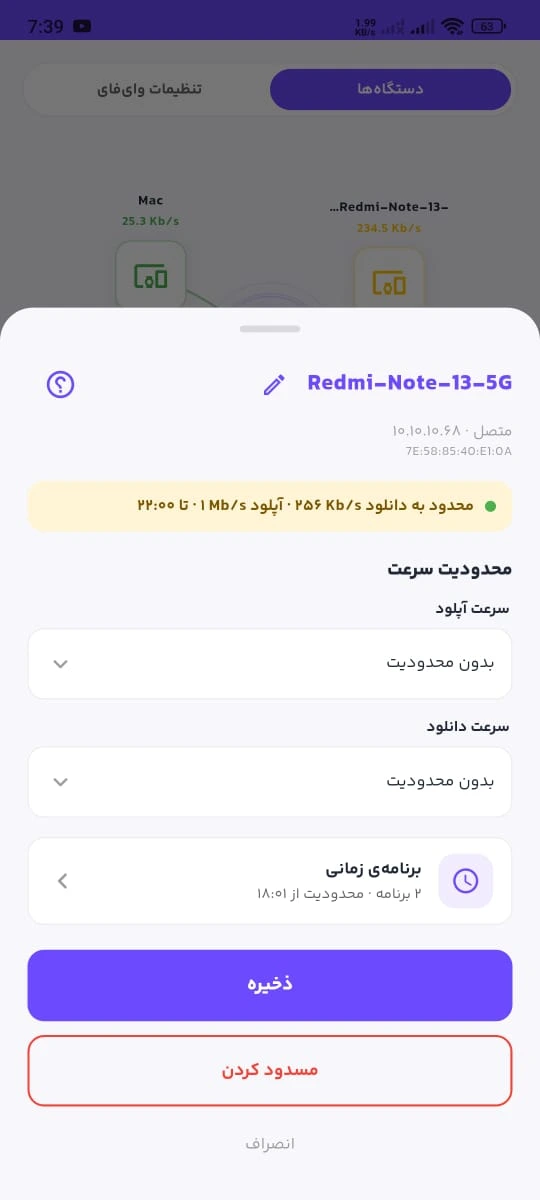
View connected device details, apply or manage speed limits, and block a device.
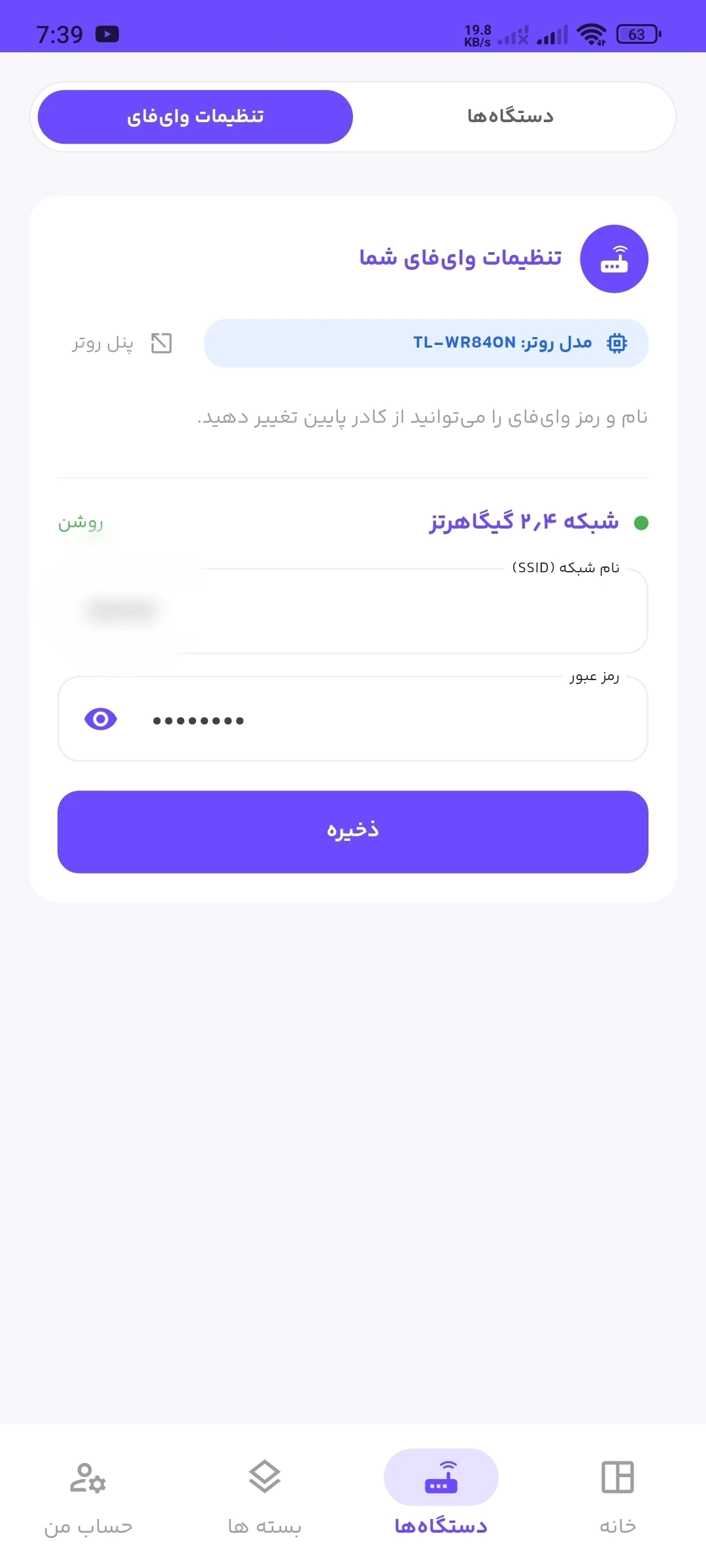
Edit the Wi-Fi name (SSID) and password on compatible MikroTik, TP-Link, and Tenda routers, view network status, and open the router panel.
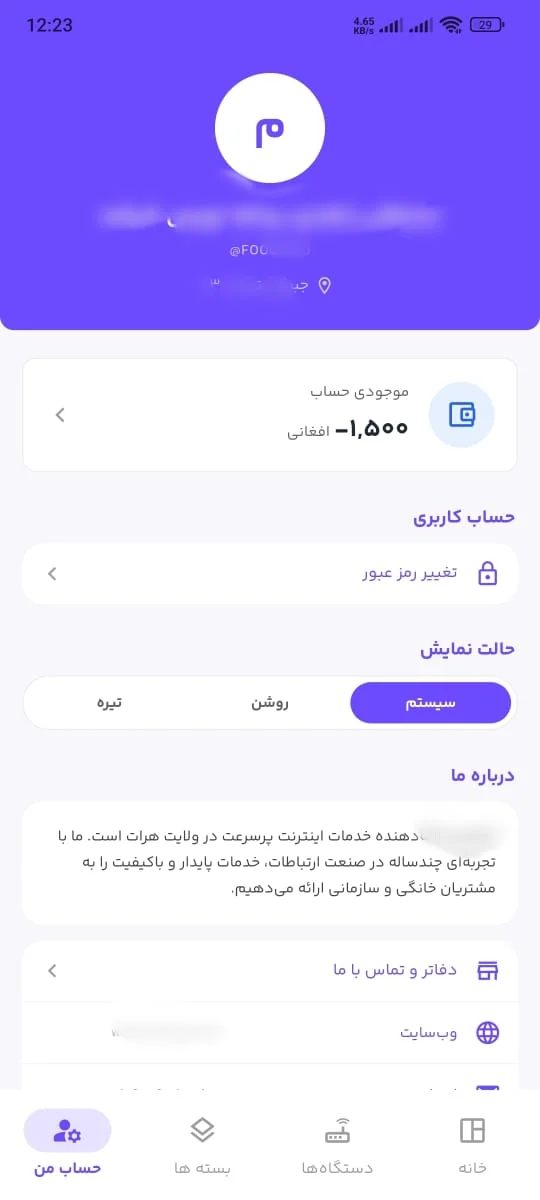
Account details, payment history, settings, announcements, and contact paths in one clear place.
An app your customers recognize
Customers see your ISP's name, logo, colors and identity. The app can be configured and presented as your own customer application.
You own the customer relationship. MahaarNet maintains the software behind the branded app.
Your existing infrastructure
You do not need to replace your billing or network systems to offer a modern customer app. MahaarNet connects to the infrastructure you already use. DeltaSIB, SAS-RADIUS, MikroTik, and Farava are currently supported; other systems need a suitable API and an integration review.
Connect the required information and controls through your MikroTik devices, around your existing network structure.
Current integrations bring the subscriber information the app needs into a clear customer experience.
Our own system is also supported, and the customer app is included by default at no extra cost for ISPs using Farava.
Services that can only reach internal systems can run inside your ISP network.
Any accounting system that provides the required API can be supported without replacing your platform, using only the access the app needs.
Keep the systems your team knows. Give customers a simpler way to use the information in them.
An actively maintained product
Building a first version is only the start. MahaarNet remains responsible for the app platform, updates and ongoing technical maintenance after launch.
We map the accounting system, its API, the MikroTik environment, access requirements, and company needs.
Branding, connections, and required configuration are prepared.
After testing and approval, your company's version is prepared for subscriber use.
Your ISP gets its own customer app without building a permanent mobile software team.
ISP partners
A few of the internet providers working with MahaarNet.


A local software team
MahaarNet is built by the team behind Farava. We develop around the real conditions ISPs operate in, from limited access to internal systems to deployment on company infrastructure.
Our goal is not to sell an app and disappear. We want to be a long-term software partner for ISPs working to offer better digital service.
Visit FaravaQuestions before a demo
No. The app name, logo, colors, and visual identity are configured around your ISP brand.
MahaarNet currently supports DeltaSIB and SAS-RADIUS. Any other accounting system can be supported if it provides the API required for the app's data and capabilities.
Normally, no. We first review the existing infrastructure and design the deployment around that network.
The deployment model depends on the ISP infrastructure. Services that require internal access can run inside the ISP network.
Yes. MahaarNet is offered as a maintained product, and the relationship does not end with the first release.
We review each ISP's needs, and supportable capabilities can be considered for the product roadmap.
The next step
Request a demo of the working app. We will show the customer experience and discuss your brand, current systems and the integration path.
The demo does not create any obligation.